
Browser access
The Moodle application is compatible will all modern browsers including Internet Explorer, Microsoft Edge, Chrome, Safari and Firefox. The most recent versions of these browsers should be used for best results.
The digital learning platform is available via the following url: https://digital.ourschool.fr
Identifying your self
When opening the front page of the platform, you will be asked to identify yourself.
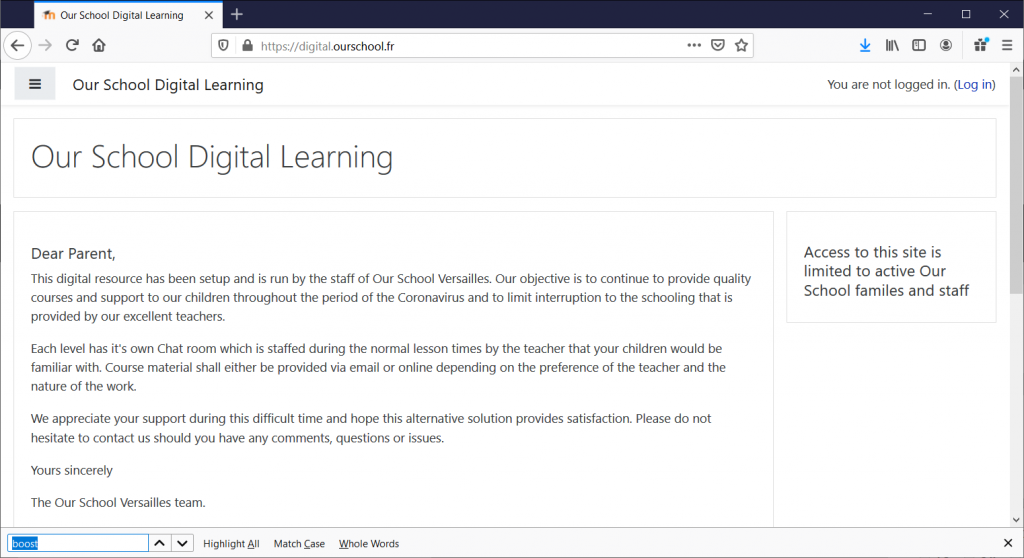
Click on the Login button top right and you will be taken to the login screen.
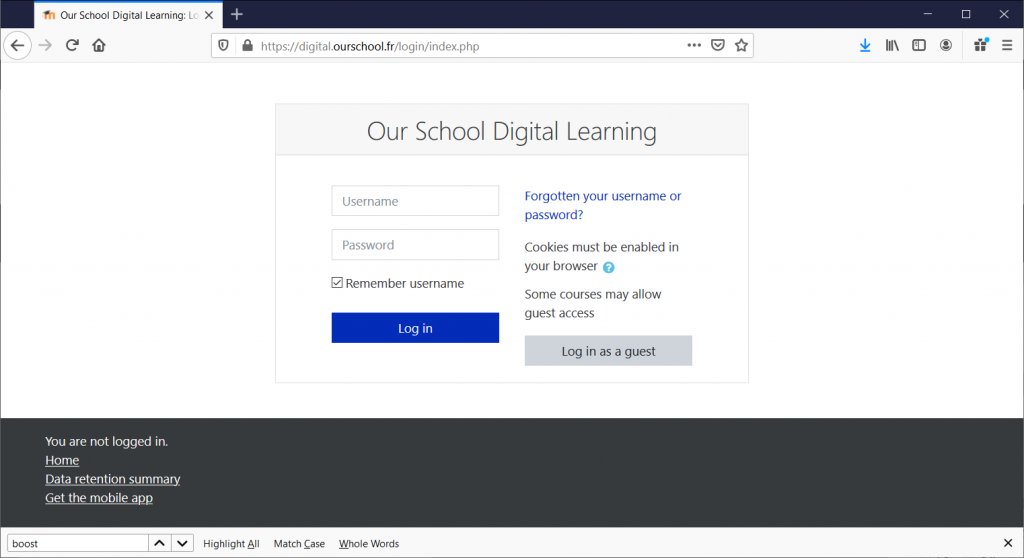
Click on “Forgotten your username or password?” link to set your password. This works the same way as with the Mobile version.
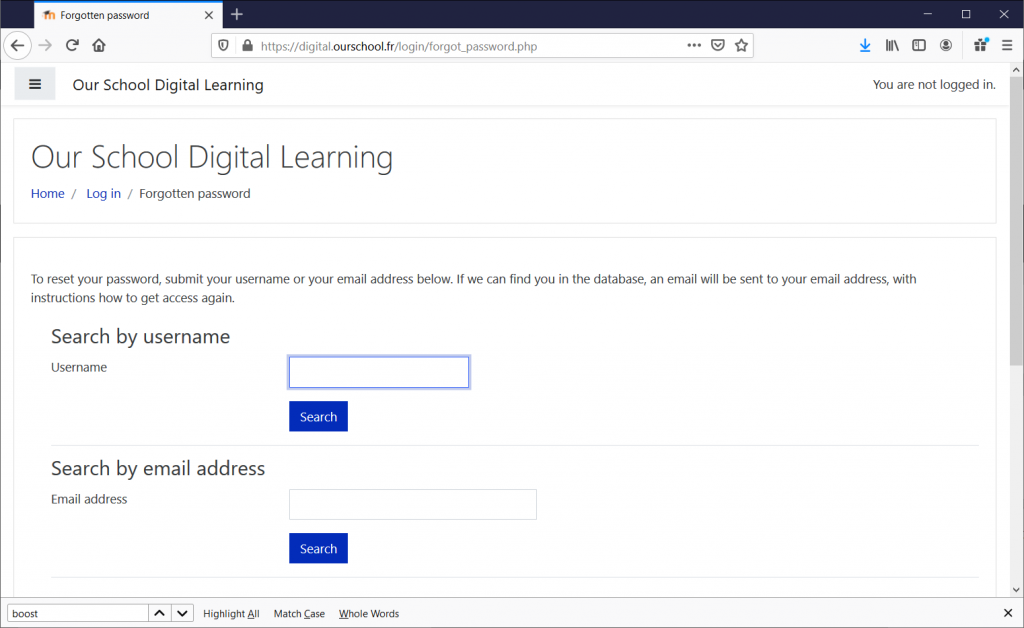
Enter your Our School email in either of the fields and click search.
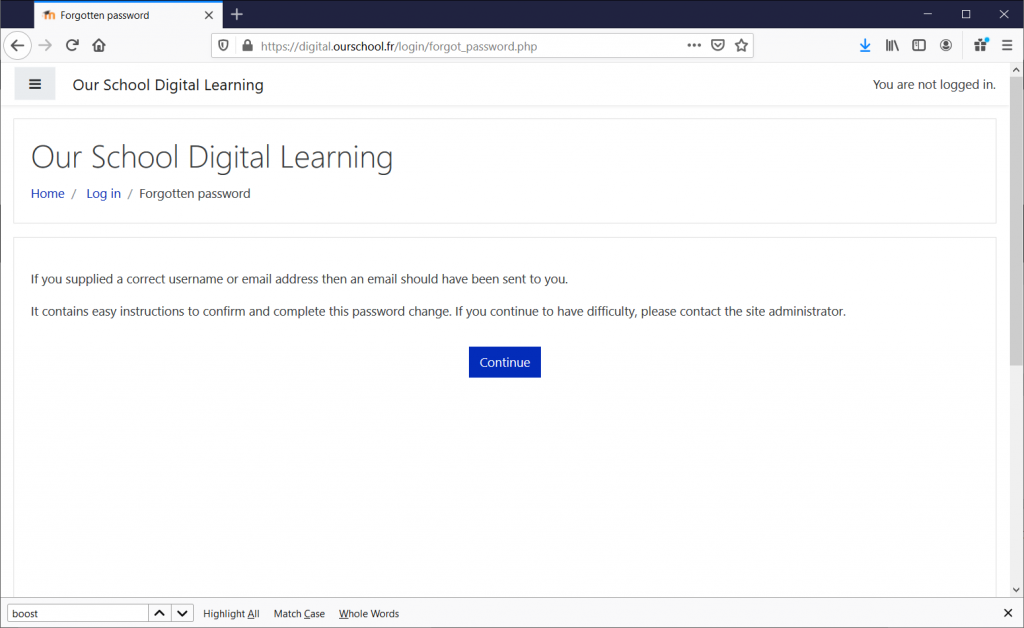
An email should be sent to your mailbox as shown below. Please check in your spam folders should you not receive the email.
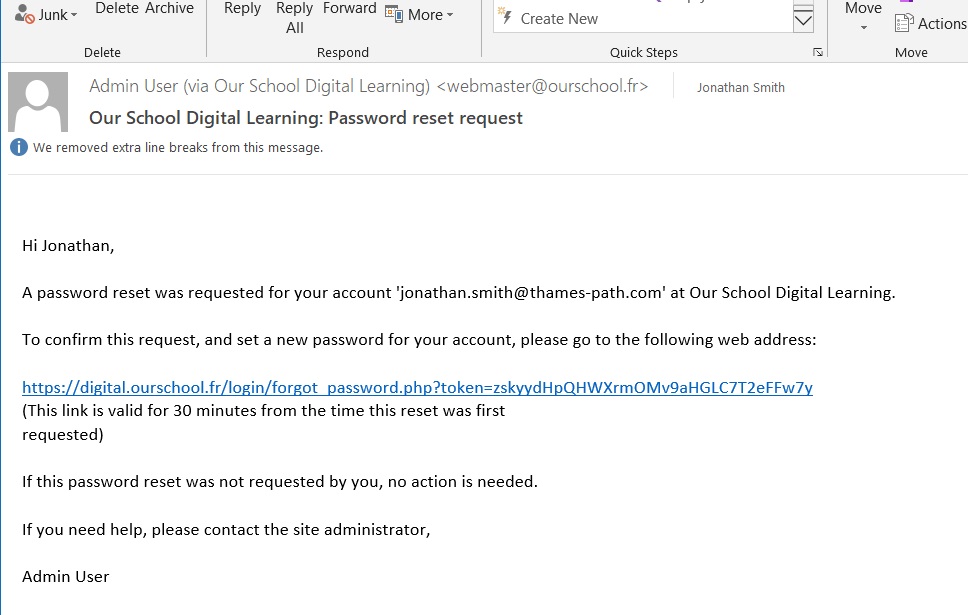
Click on the link in the email and your browser will open allowing you to change your password:
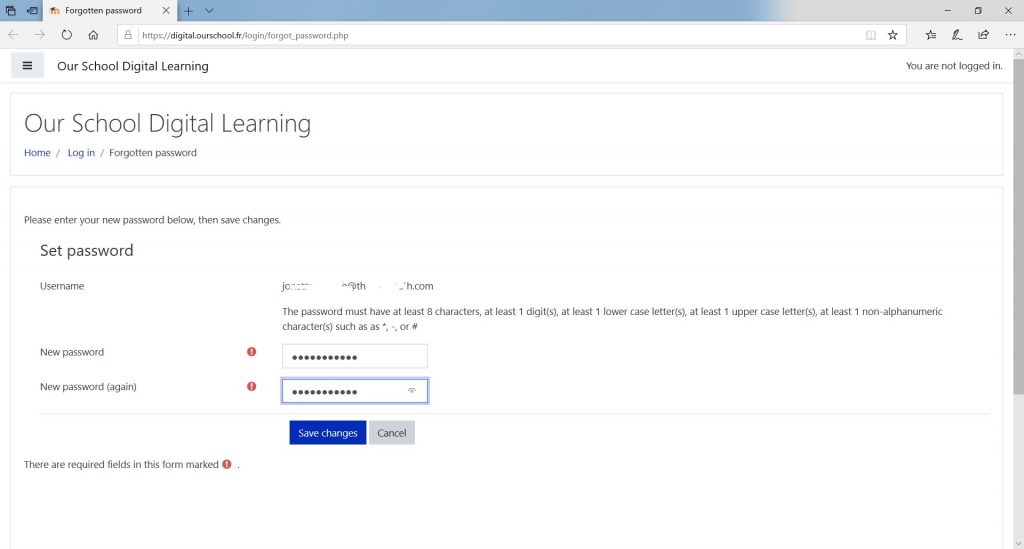
Change your password and click “Save Changes”. If successful, you will be logged in with the new password automatically. into the Browser version of the application.
Once identified, the home page will be displayed offering access to the available courses and, if already subscribed, those classes which you are already participating in.
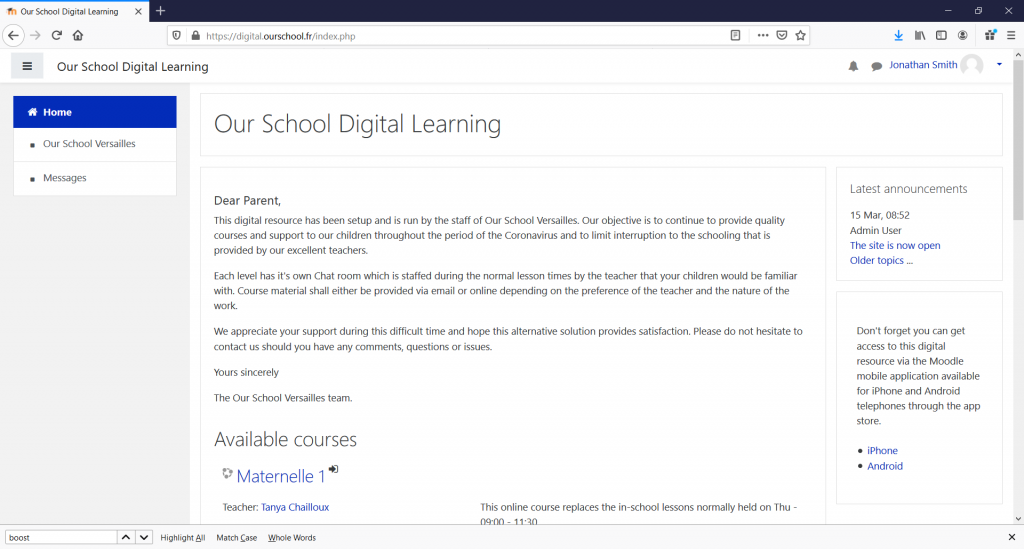
Each level of class offered by Our School Versailles is represented by an individual Chat Room and in the list, you will see the times they are open and where the teacher will be available to respond to your questions.
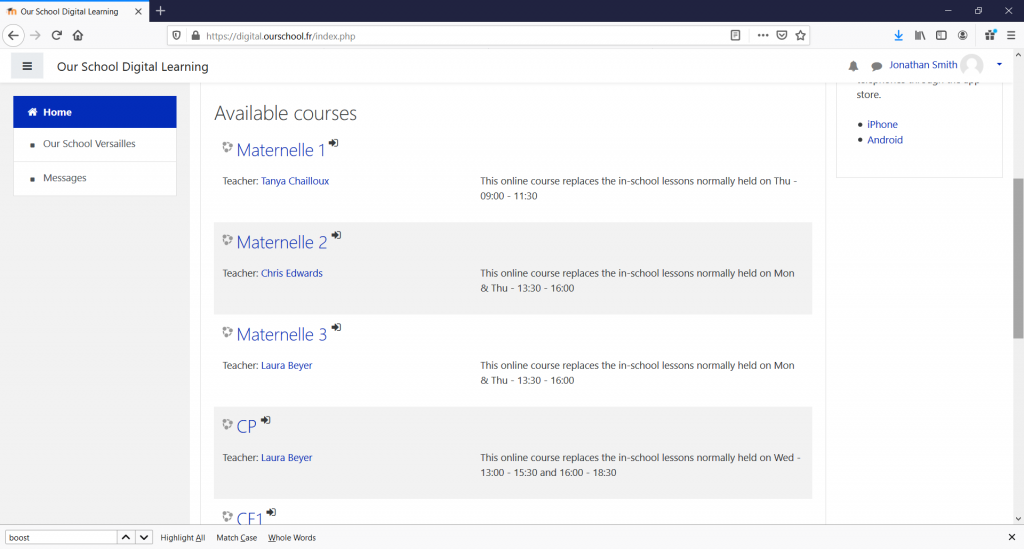
When you see an arrow icon next to the course name, you need to subscribe to the course before accessing the Chat Room. Please note you should subscribe to each of the courses as per the enrolments for your children. Each Chat room is separate.
When you click on the Course name for the first time you will need to confirm your subscription.
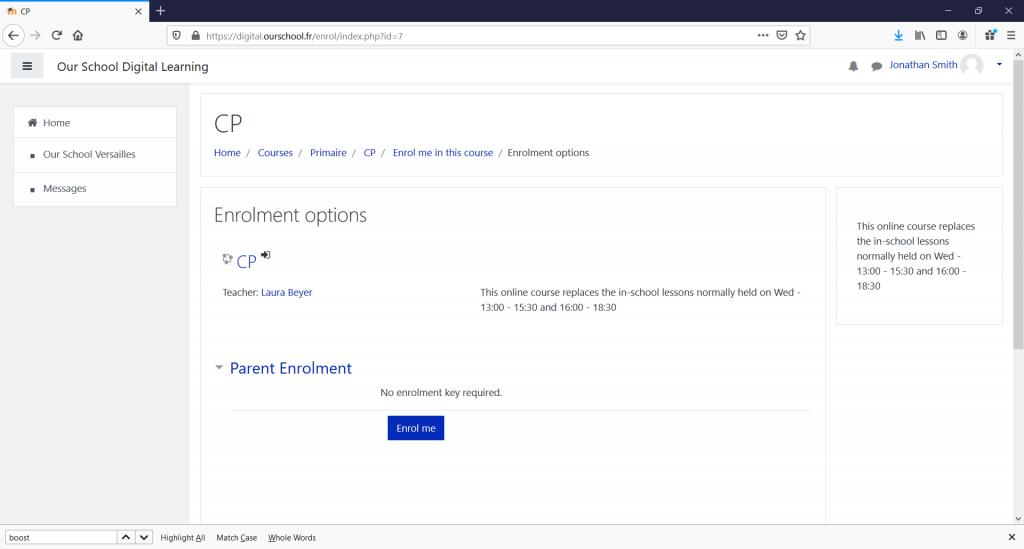
Click on the “Enrol me” button and you will enter the Course.
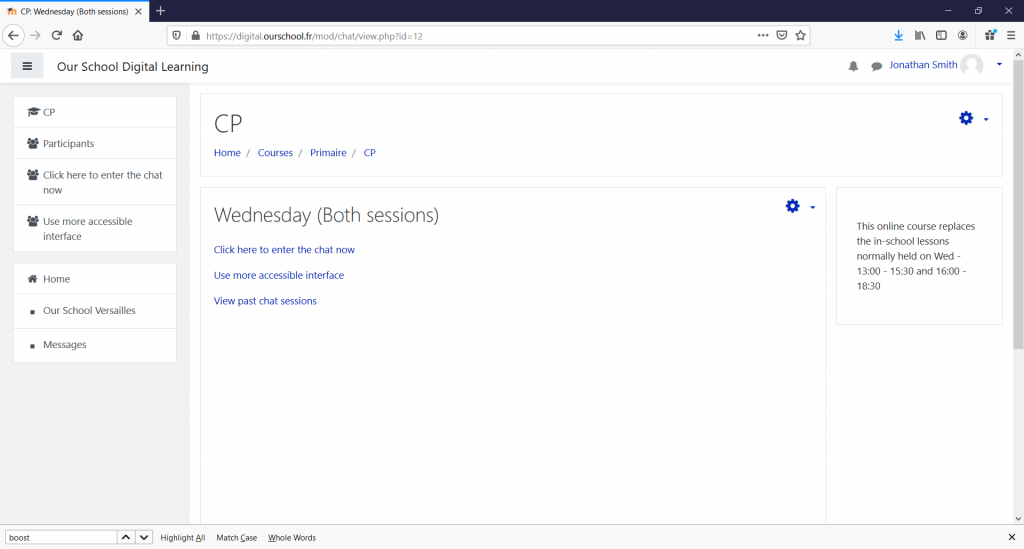
To enter the Chat, click on the “Click here to enter the chat now” link – preferably the one in the middle as it shows the Chat in a popup window.
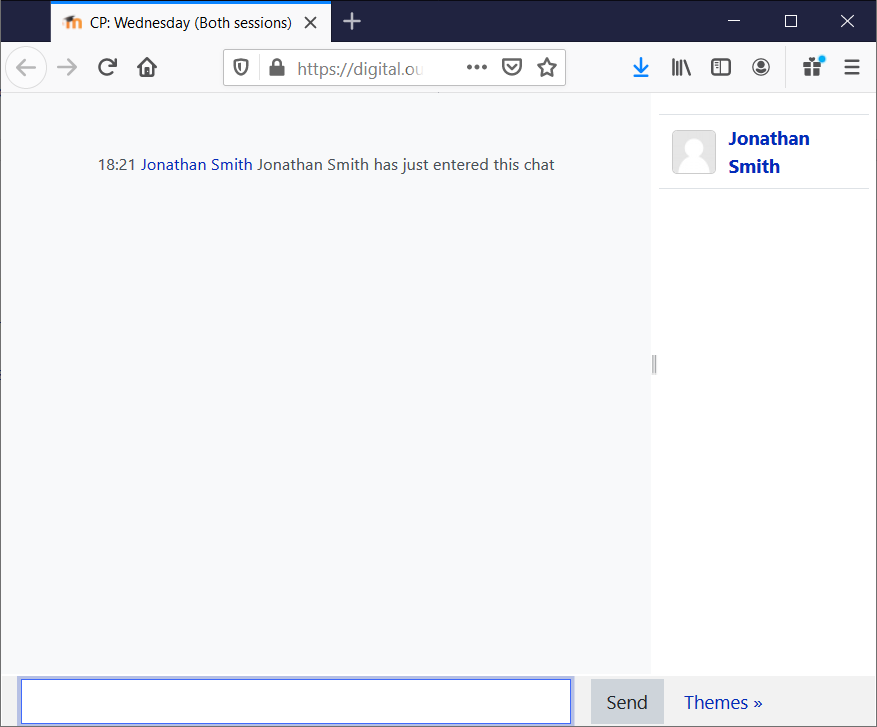
You can immediately start to exchange messages in the Chat Room.